
What Cura does
Cura is an ambient life manager. It gathers signals from the services you connect and writes one short brief a day. Every line in that brief carries the signal that produced it, so you can check the reasoning yourself.
Underneath the brief sits the rest of the app: a schedule of blocks, the steps that hang off them, focus sessions, a diary, and a small set of panels you arrange yourself. Cura keeps them current and leaves the arrangement to you.
One split runs through the whole build. The parts of the schedule that have to be right are computed. The strip that tells you what is on now, what is next and how long is left comes straight from your own blocks: it costs nothing to recompute, it cannot invent a meeting, and it survives a dead network. The model writes the paragraph around it.
Asking first
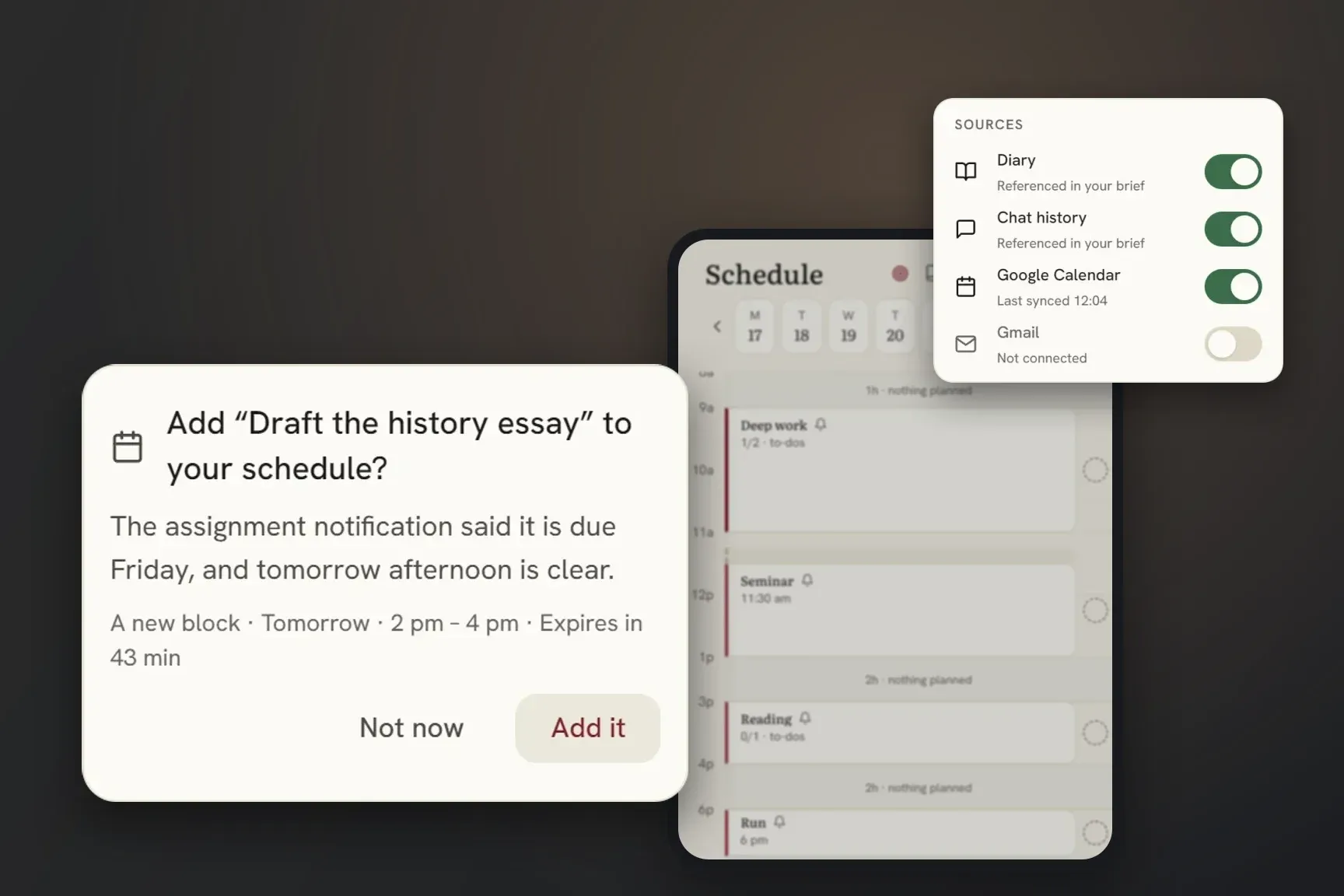
Cura proposes exactly three things: a block on your schedule, a step on a block you already have, or a focus session. It offers one when something plainly implies it, a deadline in a notification or an invitation with a time, and then it waits. You confirm; only then does it write anything, log the action, and offer an undo.
Most of the work went into what it refuses to offer. These rules run in code, after the model has answered:
- A proposal that would land on top of something real, one of your blocks or a calendar event, is dropped, whatever it happens to be called.
- Nothing is proposed to start between 23:00 and 07:00. Cura does not know when you sleep, so it stays out of that window entirely.
- A time that has already gone by is dropped.
- Something you turned down is not offered again.
- A step is never attached to a block that repeats. A step carries no date of its own, so it would appear on every occurrence of that block, forever.
Caps limit how many proposals one call and one day can produce. Most days it offers nothing at all. The whole autonomous layer is opt-in, defaults to off, and the server enforces that.
We spent longer on this than on anything else in the product. An agent that acts without asking is faster. It is also worse. The first time it gets something wrong, you stop trusting everything else it has done.
The proposals come from the Android app, which is the one that can see a notification arrive. Anything it raises reaches the web app too, so you can answer it wherever you happen to be.
What Cura reads
Nothing is connected when you start. Google Calendar is read-only. Recent mail is read as sender and subject, and only if you ask for it; the body is never read. If you turn on the calendar mirror, Cura writes the blocks you made here into a separate calendar named Cura and touches no other one.
On Android you can add what the phone knows: screen time, sleep and steps through Health Connect, and notifications. Each of those needs your permission twice, once in Cura and once in Android.
People assume those stay on the phone. They do not. The figures, and a shortened title and body of a notification, travel with your brief to the language model. Afterwards we keep the brief and discard the notification.
Talking to Cura from elsewhere
Cura is also a remote MCP server, so you can connect it to an assistant like Claude and ask about your own schedule, diary, panels and calendar in a conversation. Reads are limited to the sources you have switched on, and every one of them is audited.
Writes are off by default. When they are on, a write is refused unless the client has recently read the thing it is about to change: a receipt no older than thirty minutes, checked on the server, failing closed if the check itself fails. The scope gate answers whether a client may write at all. It says nothing about whether that client knows what it is overwriting, and the receipt is what covers the second question.
Where to get it
Cura is live on the web now, at cura.meredic.com. Sign in and it runs in the browser. The Android app is in private beta.
The full terms for the product, where everything above is written as an undertaking, are under Product Terms.